Start with the office refresh timeline
An IT asset disposal checklist for an office refresh should begin before anyone disconnects, moves or stores a device. Align the IT workstream with furniture moves, cabling changes and workplace access so that redundant IT assets remain controlled throughout the project.
Assign one project owner
Name an owner who coordinates IT, facilities, procurement and security. Record decision deadlines, approved collection windows and who can release equipment. This prevents usable devices from entering the disposal stream and gives each team a clear escalation point.
Plan around access and downtime
Map when each floor or room becomes available and which devices must remain operational until cutover. If the refresh involves several sites or a high volume of equipment, treat reverse logistics planning as part of the project schedule rather than a separate task after the move.
Separate assets by use, value and data risk
Sorting should reflect what each asset can still do, what value it may retain and what information it carries. A single recycling pile hides redeployment opportunities and increases the chance that data-bearing equipment receives the wrong treatment.
Identify devices that may stay in use
Use a working list with clear categories: keep in current use, redeploy internally, assess for refurbishment, evaluate for remarketing, harvest usable parts or recycle. Note condition, accessories and operational status. Procurement can then compare internal demand with residual value before approving an outcome.
Flag all data-bearing media
Mark laptops, desktops, servers, drives and cards that may hold business data. Keep this risk classification attached to the asset record, even if a device appears damaged. Teams that need a broader process beyond the refresh scenario can review PlanBit’s asset recovery approach.
Keep every movement traceable
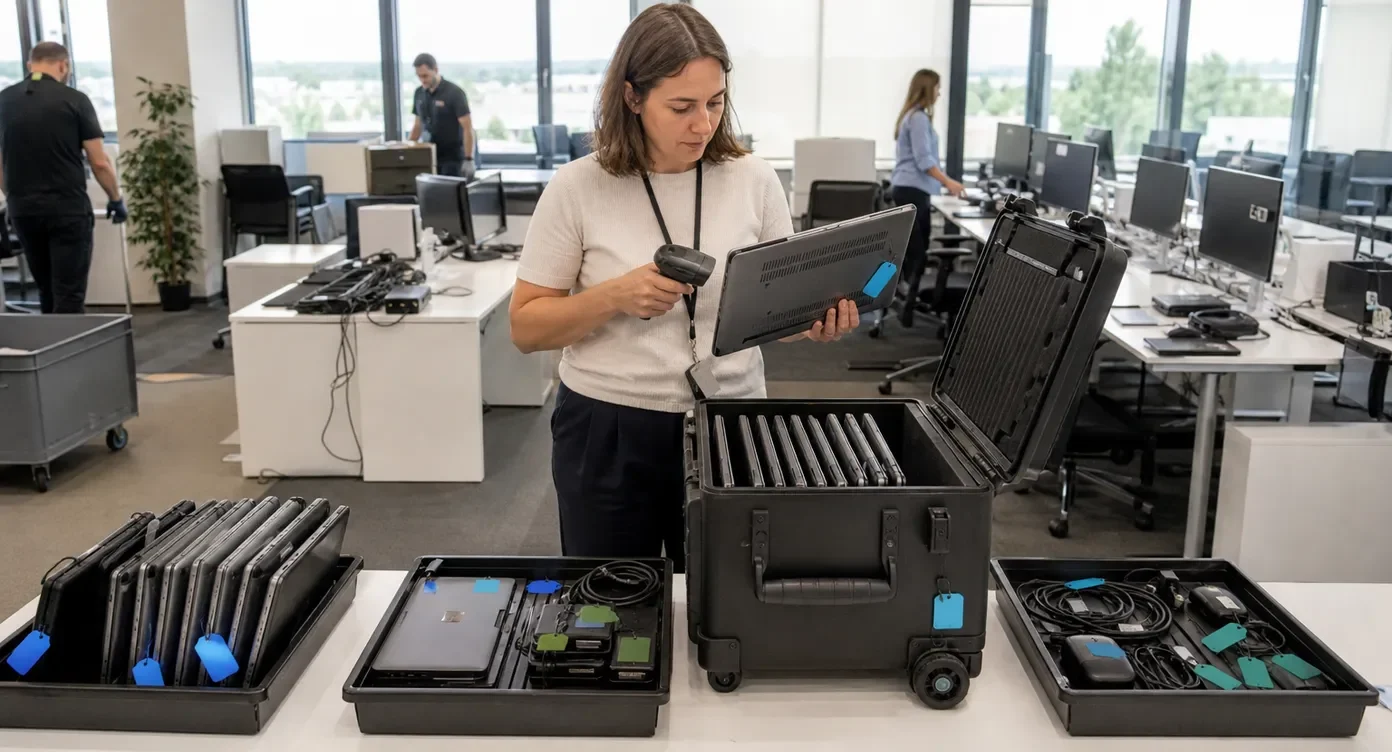
Chain of custody matters from the moment equipment leaves a desk, cabinet or equipment room. During a workplace change, devices may pass through temporary storage and several internal teams, so every handover needs a recorded identity and destination.
Use serial-level records
Capture serial numbers and connect them to scanning, tagging and status records. PlanBit assigns systems and parts unique serial numbers and scans them into its Inventory Database and Client Portal. This gives the project team a consistent record for reconciliation and online reporting.
Avoid unmanaged holding areas
Define approved holding points and restrict who may move assets from them. Record exceptions such as unreadable serial labels or missing components when discovered, not after collection. For controlled transport, the GPS-tracked PlanBox chain of custody service provides track and trace with 100% chain of custody.
Confirm data sanitization before reuse or resale
Data sanitization is a release condition, not an assumption. No data-bearing asset should move into redeployment, remarketing or recycling until its treatment and result connect back to the serialized inventory.
Match the method to the media
PlanBit securely erases media in accordance with DoD 5220.22-M or destroys it in accordance with DIN 66399-3. The appropriate route depends on the media and intended outcome. A reusable device may support erasure, while media that cannot be sanitized as required may need destruction.
Keep certificates with project records
PlanBit supplies a Certificate of Data Removal and Destruction. Retain it with the asset list, collection records, exceptions and final disposition report. This documentation lets security and audit stakeholders verify what happened without reconstructing the refresh from emails or incomplete spreadsheets. The inventory and data cleaning service explains the underlying controls.
Recover value before recycling
Recycling should follow an assessment of continued use, refurbishment and residual value. Office refreshes often release mixed equipment: some assets may support internal operations, while others can return value through repair, parts harvesting or remarketing.
Check redeployment potential first
PlanBit revitalized close to 12% of one client’s notebook volume after the devices reached the end of their OEM support period. Batteries were replaced where required, and the notebooks became hot-swap inventory inside the client’s organization. The client could use existing assets for that purpose instead of purchasing additional new equipment.
Use remarketing where assets have resale value
Cosmetic grade repairs and parts replacements can prepare suitable units for secondary market sales. Assets that cannot return as complete devices may still contain components that can be harvested, tested and remarketed. A documented residual value assessment helps the project team compare these routes before authorizing recycling.
How PlanBit supports controlled office refresh projects
PlanBit connects collection, custody, data controls and value recovery within one documented process across the European Union. The company is based in Geldermalsen and supports business clients with reverse logistics, onsite collection, inventory controls, refurbishment, residual value services and remarketing.
From collection to reporting
Onsite scanning and tagging establish visibility at the point of handover. The GPS-tracked PlanBox protects chain of custody, while serialized inventory and online reporting help reconcile equipment after the refresh. Data erasure or destruction and the accompanying certificate complete the data-control record.
A practical Plan B for redundant IT assets
The final project file should show what was collected, sanitized, redeployed, refurbished, remarketed, harvested or recycled, including any exceptions. PlanBit combines that transparency with repair and value recovery, so the office refresh team can protect data and preserve viable equipment before choosing recycling. The practical takeaway is simple: approve the timeline, sorting rules, custody controls, sanitization evidence and final report before the first device moves.
Planning an office refresh? Contact PlanBit to schedule collection, data sanitization and value recovery for your redundant IT assets before the first device moves. We will align the disposal workstream with your project timeline and provide the documentation your security and audit teams need.
Frequently asked questions
What should an IT asset disposal checklist include for an office refresh?
Include the refresh timeline, named responsibilities, asset sorting rules, serial-level inventory, chain of custody, data sanitization requirements, residual value assessment and final reporting. Agree these controls before equipment starts moving.
Can office refresh equipment be redeployed instead of recycled?
Yes, where condition, internal demand and data controls support redeployment. Suitable equipment may also undergo refurbishment, parts replacement or repair before returning to use.
How should data be protected when old laptops and drives are removed?
Identify every data-bearing asset, retain chain of custody and connect the sanitization result to its serialized record. PlanBit uses secure erasure in accordance with DoD 5220.22-M or destruction in accordance with DIN 66399-3 and provides a Certificate of Data Removal and Destruction.
Why assess residual value before recycling IT equipment?
Some assets may still support redeployment, refurbishment, parts harvesting or remarketing. Assessing those routes first can preserve useful equipment and identify a financial return before recycling is approved.