Why old computers hold more data than you expect
To recycle old computers without overlooking business data, treat every device as a data carrier until records prove otherwise. Deleting files, resetting a user account or sending equipment to a recycler does not provide that proof. The main risk often sits outside the expected process: an unlisted laptop, an overlooked drive or an unexplained gap between collection and processing.
Old office computers can retain customer records, employee information, emails, credentials, cached files and business documents. Storage can also sit inside desktops, notebooks, workstations and other equipment that nobody recorded correctly. Your first question should therefore be broader than “Was the computer wiped?” Ask whether every device and every storage component entered the controlled inventory.
This blind-spot approach complements a full retirement workflow. If you also need the wider operational and commercial criteria, review how to choose an ITAD provider.
Blind spots: where business data gets overlooked
Business computer recycling data security fails when the asset list, sanitization record and physical movement record do not describe the same equipment. Check each gap against evidence rather than relying on a handover total or a verbal confirmation.
Devices nobody listed
Spare laptops in cupboards, desktops kept for parts and devices returned directly to local IT teams may never reach the central register. Compare the physical collection area with the asset register, user return records and any local storage lists. Search storage rooms and repair areas before closing the inventory.
Onsite scanning and tagging give each located asset a recorded identity before removal. The resulting inventory should show enough detail to reconcile every collected device with later sanitization and disposition records. An inventory and data cleaning service can support this check when internal records no longer match the equipment on site.
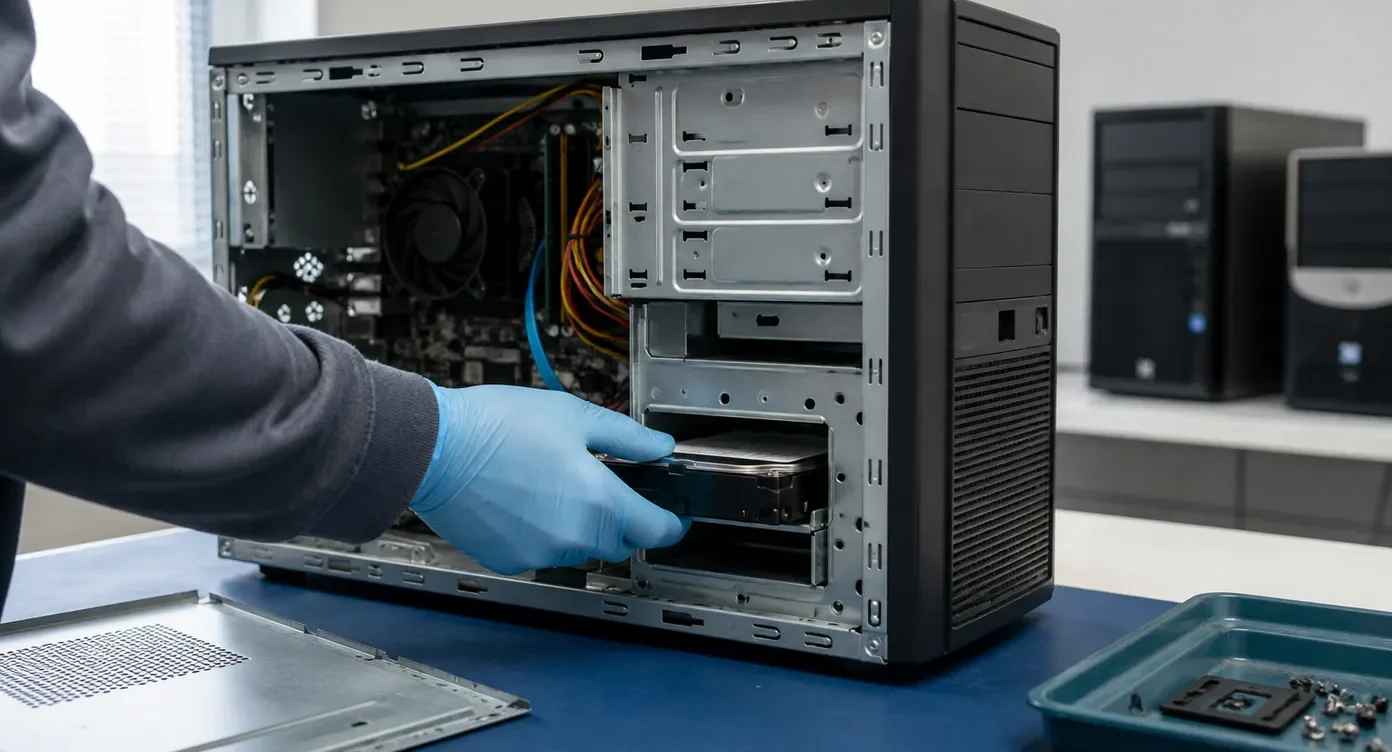
Inspect the hardware itself rather than assuming one computer equals one drive. A machine may contain an additional internal drive, removable storage or a replacement drive that never entered the asset register. Record storage components against the device so the final evidence accounts for the data-bearing media you actually found.
Erasure assumed, not verified
A deleted file can remain recoverable, and a reset screen does not show what method ran or whether it completed. Check the serial number or asset identifier, the sanitization outcome and any exceptions. Failed or inaccessible storage needs a separate decision, such as certified destruction, rather than an optimistic “processed” status.
Demand a Certificate of Data Removal and Destruction that links the outcome to the relevant assets or media. Review failed items and unmatched identifiers before approving reuse, remarketing or material recycling. The certificate closes the evidence gap only when it reconciles with the final inventory.
Gaps during collection and transport
Control can disappear after equipment leaves a locked room and before a processing record begins. Check who collected the assets, what containers held them, when custody changed and whether the receiving count matches the dispatch count. Investigate discrepancies while the collection record and physical load can still be checked.
Track and trace records should create an unbroken chain of custody from site release to receipt. Sealed, identified transport units and recorded handovers make unexplained movement visible. Keep this transport evidence with the inventory and sanitization records rather than treating logistics as a separate file.
Prove the data is gone before anything leaves
A defensible release decision rests on matching evidence. Before equipment leaves your control, confirm which assets are present, which data-bearing components they contain and what sanitization route applies. If erasure will occur after collection, do not release an asset for reuse, remarketing or recycling until its verified result returns.
Your evidence pack should contain:
- A reconciled asset list: scanning and tagging records that match the physical count, including discovered devices and storage components.
- A verified sanitization result: a recorded success, failure or destruction outcome for each relevant identifier.
- A Certificate of Data Removal and Destruction: formal evidence tied to the assets or media covered.
- A chain of custody record: collection, handover, track and trace, receipt and discrepancy information.
PlanBit’s GPS-tracked PlanBox chain of custody solution provides 100% chain of custody with track and trace, while onsite scanning, tagging and online reporting connect physical assets to their records. PlanBit also provides certified data erasure or destruction with a Certificate of Data Removal and Destruction and has transitioned to ISO 27001:2022.
Do not archive these documents without reviewing them. Reconcile collection totals, received totals, sanitization outcomes and the final destination. One unexplained serial number can represent the exact blind spot the process was meant to remove.
Reuse first, recycle what remains
Once verified data removal closes the security risk, assess each computer for refurbishment, redeployment or remarketing before material recycling. A device that no longer suits one user may still have a useful role elsewhere. Recycling should handle equipment or components that cannot move into a credible second use.
In one documented client case, close to 12% of notebook volume that had reached the end of its OEM support period moved into redeployment. Suitable devices can receive the client’s corporate image or an operating-system-only installation such as Windows 11 before assignment to another user. The example shows why disposition should follow technical assessment rather than an automatic recycle decision.
Reuse can also support measurable CO2 savings. The available calculation uses a TU Berlin-based model that compares three years of computer reuse with the purchase of a new computer and includes production, distribution, operation, reconditioning, transport and recycling. An independent agency examined and tested the calculation against current standards in 2023.
Start by reconciling the physical equipment with your asset register, then require linked proof for sanitization and every custody change. Release devices for redeployment, remarketing or recycling only after the records account for every asset and data-bearing component.
Contact PlanBit to discuss secure handling and residual value for your redundant IT assets before authorizing their removal.
Frequently asked questions
How do you recycle old computers safely for business?
Reconcile every physical device and storage component with the asset register, verify data sanitization for each identifier, and retain a Certificate of Data Removal and Destruction. Track every custody change until the equipment reaches its approved destination.
Is deleting files enough before recycling a computer?
No. File deletion does not prove that data can no longer be recovered. Require a verified sanitization or destruction result linked to the relevant device or storage medium.
How can a company prove data was erased from old computers?
Use a complete inventory, recorded sanitization outcomes and a Certificate of Data Removal and Destruction tied to asset or media identifiers. Reconcile failed and unmatched items before approving reuse, remarketing or recycling.
Can old business computers be reused instead of recycled?
Yes, when technical assessment finds them suitable and verified data removal has closed the security risk. They may then be refurbished, redeployed internally or remarketed, while unsuitable equipment proceeds to material recycling.